Platform
A managed service, not another login to learn
We combine software and hands-on management to connect the patient journey: from the first search to the next visit. Your EHR or practice management system remains the system of record.
What we manage for you
Patient acquisition
- Fast, accessible practice websites
- Conversion tracking without patient data
- Search visibility and local presence
Connected operations
- Scheduling connected where integrations are supported
- Workflow automation for repetitive steps
- Reminders, recall and follow-up on a schedule
Patient engagement
- AI-assisted answers to administrative questions
- Installable, practice-branded patient experience
- Provider-approved aftercare delivery
Reporting
- Performance dashboard
- Monthly reporting in plain language
- Operational reporting on Connected and CareOps
Workflow
The connected patient journey
Discover
A fast, accessible practice website that answers questions and earns trust.
Book
Patients request or book a visit from any device, guided by real availability.
Prepare
Clear forms and preparation steps arrive before the visit, not at the front desk.
Visit
Check-in and the day's schedule are visible to staff without switching screens.
Follow up
Provider-approved aftercare and follow-up scheduling happen on time.
Return
Recall and re-engagement bring patients back when care is due.
Connected to what you already use: your EHR or practice management system stays the system of record; scheduling, communications and reporting connect around it where an integration is supported.
Boundaries
Clear lines around clinical data
- The EHR or practice management system stays authoritative for clinical records.
- No patient information is sent to analytics or advertising platforms.
- Installable apps never cache personal or health information on the device.
- Notifications and messages never contain sensitive details.
- AI assists with administrative tasks. Clinical decisions stay with providers.
See it
The Everwell practice workspace
Everwell's design system defines the practice workspace: location-scoped schedules, appointment queues and operational views. The screen below is a static specimen with synthetic data.
Explore Everwell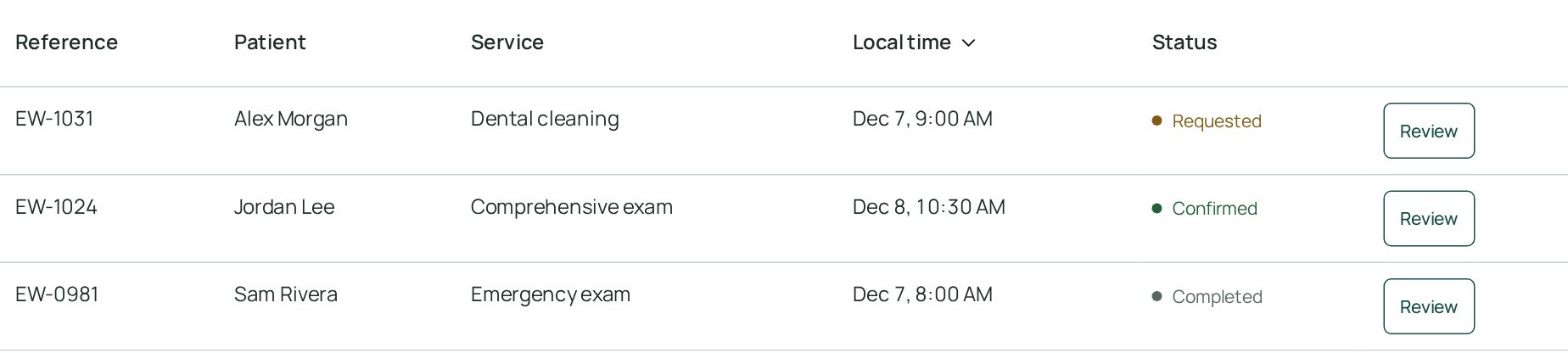
Practice-branded PWA
An app-like experience. Without the app store.
Your website can become an installable, practice-branded app for patients, and on the CareOps plan, a staff operations app. It installs from the browser and updates itself.
Installs from the browser
Patients add your practice to their home screen in a few taps, with no app store listing to maintain.
Your name and icon
A practice-branded name and icon, including maskable and Apple touch icons.
Opens like an app
Standalone display, safe-area support and accessible mobile navigation.
Honest offline behavior
A clear connection state when offline. Personal or health information is never cached on the device.
Secure by default
Sessions expire, deep links require authorization and notifications never carry sensitive details.
Guided installation
A contextual install prompt, plus step-by-step Add to Home Screen instructions for iPhone and iPad.
Illustration
Next step
See where your practice could run smoother.
A discovery call is a conversation about your patients, your systems and your goals. We'll tell you honestly what we can connect today and what would need custom work.